
Snappy Surface Mesher#
snappyHexMesh is an advanced mesh generation utility included in the OpenFOAM suite, designed for creating meshes for computational fluid dynamics (CFD) simulations. It is widely used due to its capability to handle complex, non-watertight geometries and support automated refinement.
The primary function of snappyHexMesh is to convert simple background meshes into complex, geometry-conforming computational meshes suitable for numerical simulations. It uses a three-step approach that enables the user to generate meshes tailored to their specific geometries and simulation requirements. snappyHexMesh is particularly useful for:
Meshing around intricate CAD geometries represented in STL format
Extracting geometry features
Refining mesh near feature edges, on surfaces and in defined volumetric regions
Mesh generation process#
Base Mesh Generation
Before snappyHexMesh can operate, a base mesh must be created using blockMesh (also called background mesh). This mesh serves as the computational domain into which snappyHexMesh will carve the geometry. The base mesh is typically a simple hexahedral block structure.
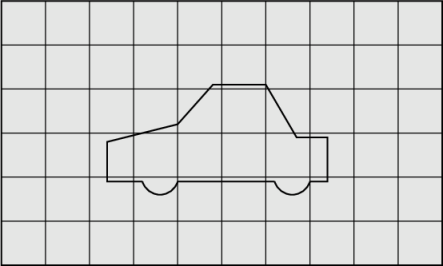
The background mesh generated by blockMesh.#
Castellation
The background mesh is refined in several steps. The strategy is to refine the mesh close to the features and the geometry surface to ease the snapping phase and at the same time allow as little mesh distortion as possible. Mesh sizes are defined as relative to the starting background mesh. For example, if the background mesh size is 0.2 m, the mesh sizes at one and two levels of refinement will be 0.1 m and 0.05 m respectively.
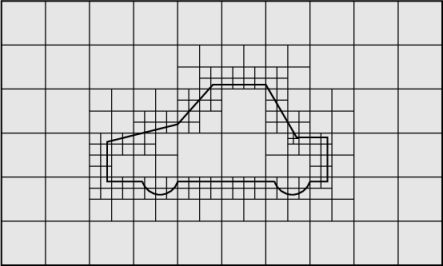
The refined background mesh based on the mesher settings.#
Surface Snapping
The snapping phase attempts to adapt the castellated mesh to conform to the input geometry. Snapping involves projecting and morphing the mesh to the surfaces and features in an iterative process. If the adaptations invalidate the mesh quality criteria, the step is undone and replayed using modified parameters. The sequence ensures that the resulting mesh achieves a minimum quality, at the expense of full geometry conformation. The algorithm first smooths the mesh on the patches and in the volume. Then, in the morphing stage, the algorithm displaces the vertices towards the surface.
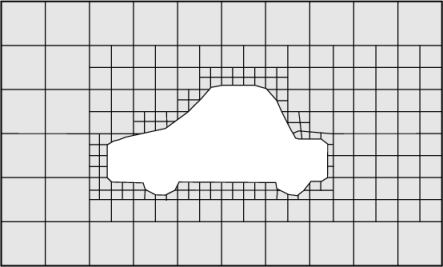
The mesh snapped to the geometry.#
Surface Processing
Finally, the generated surface is processed to ensure it is watertight and has the desired quality. It includes:
smoothing (using the lambda-mu algorithm)
improvement of feature edge representation
ensuring mesh watertightness
Geometry Preparation#
If the snappyHexMesh is used for surface meshing the geometry provided must be in the ASCII STL format. The input should contain solid names and basic geometry information; multiple solids and multiple files are allowed.
As with the other surface meshers, geometric entities are exposed at two levels:
Body: a part of the geometry that is passed to snappyHexMesh as a searchableSurfaceWithGaps.
Region: a face of a body (the unit at which the mesher applies per-region refinement, and the unit referenced by boundary conditions and surface outputs).
Changed in 25.10
Starting with release 25.10, snappy bodies and regions follow the conventional file/face-name grouping used by the other surface meshers (such as GAI). The previous body::region patch-name convention, the fl.SnappyBody(body_name=...) class and the dedicated geometry.group_faces_for_snappy() / geometry.snappy_bodies accessors are no longer needed and have been removed.
Body and face grouping follow the same mechanism as the rest of the geometry workflow (see Asset Drafts for the full reference):
One STL file is one Body. Supply the model as a list of files when creating the project, e.g.
fl.Project.from_geometry([chassis.stl, tunnel.stl, ...]). Callinggeo.group_bodies_by_tag("groupByFile")exposes each body as a body-group entity, accessible bygeo["<file_name>"]. Body-group entities are whatfl.snappy.BodyRefinementaccepts in itsbodies=[...]argument.Each named
solidinside an STL file is one Region/face. Callinggeo.group_faces_by_tag("faceId")exposes each region as aSurfaceentity, accessible bygeo["<region_name>"].Surfaceentities are whatfl.snappy.RegionRefinementaccepts in itsregions=[...]argument and what boundary conditions (fl.Wall,fl.Freestream, …) accept in theirsurfaces=[...]argument.
To inspect the grouping options exposed by your geometry, call show_available_groupings() on the geometry asset.
Important notes:
Solid (region) names must be unique within each STL file.
Body names (file names) must be unique across the input set.
Unnamed
solidinstances are not supported.If the geometry contains internal patches that will be completely deleted during the meshing process, running the case directly on a volume mesh generated will fail. As a workaround the user can download the volume mesh and reupload it to a new project or delete all parts of the input geometry that will be later deleted by the mesher.
Note
With snappy, a uniform refinement refines the surface mesh inside the region by default. Use the per-refinement project to surface option (on by default) to turn this off and refine the volume only. See Effect on the surface mesh for how each workflow treats this.
Tip
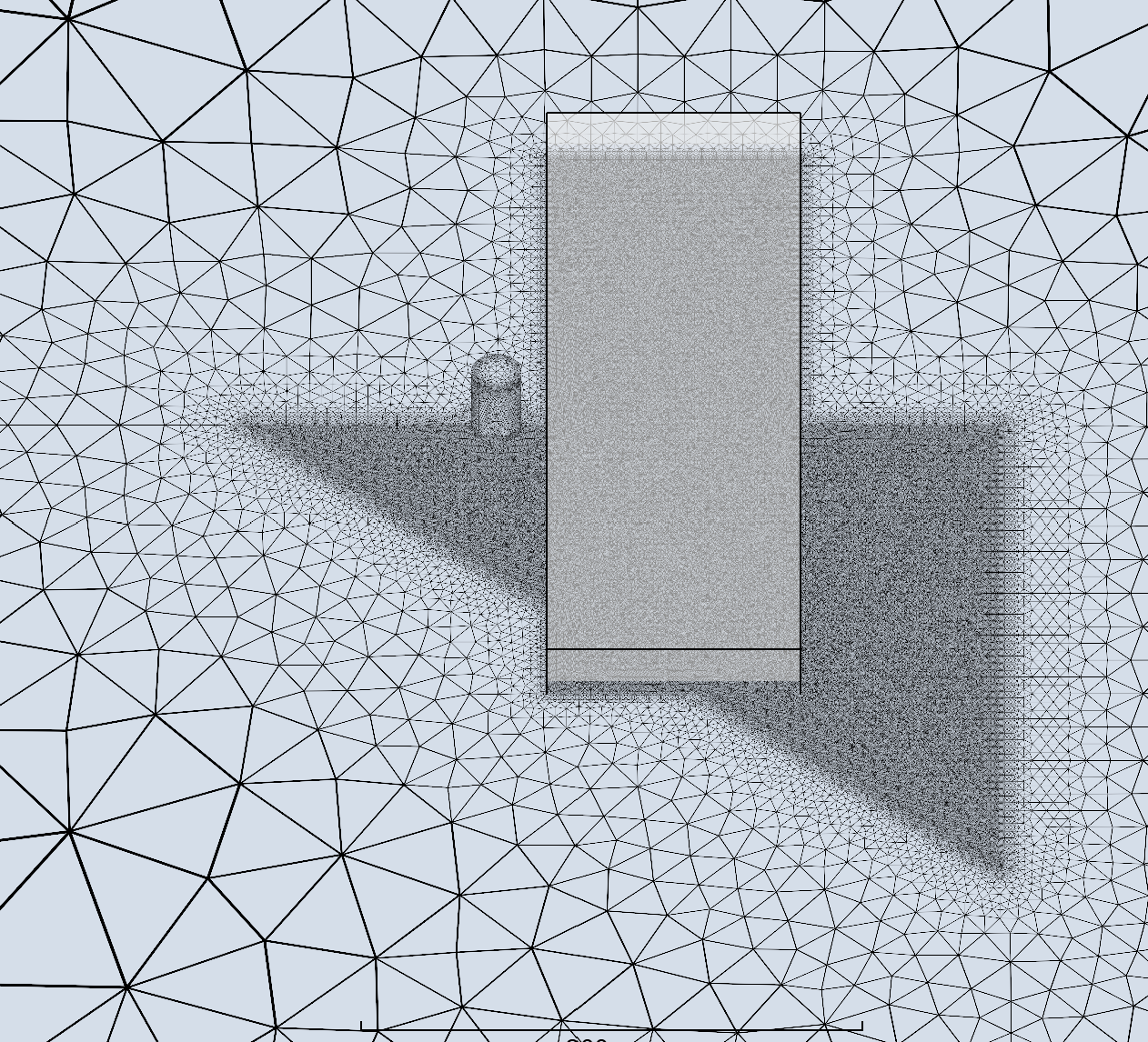
When specifying a UniformRefinement, the snappyHexMesh will sometimes erroneously refine the underlying STL facets even they are not completely enclosed by the refinement region.
Important
Snappy Surface Mesher works now only with Python API.
Examples#
Examples of meshing with snappy can be found in the Python API Example Library. Specifically look at:
SRF with Cube for SRF meshing with a cube geometry.
Recommended for:
motorsport geometries,
geometries with sharp edges,
faulty low quality geometries.
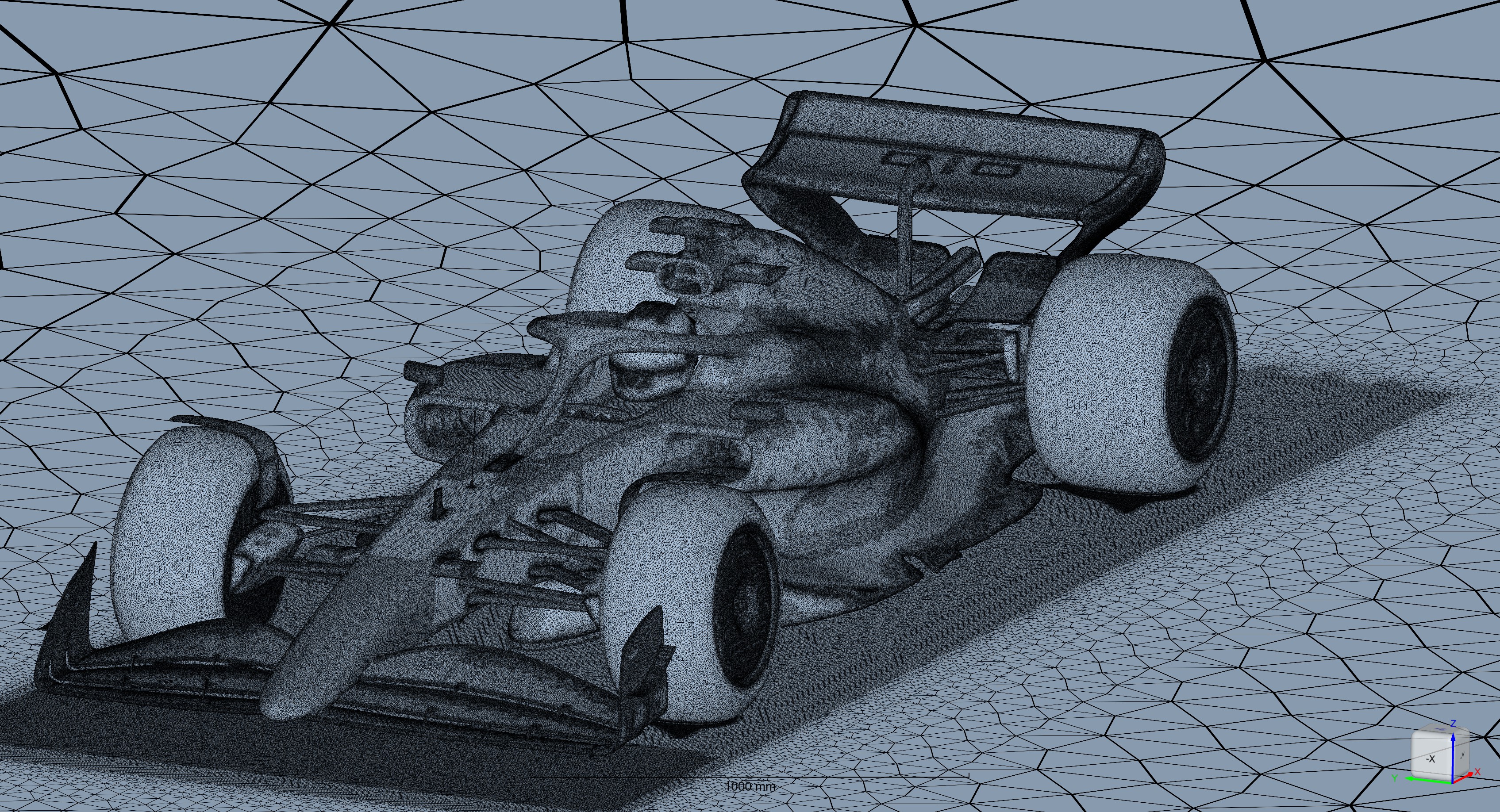
Example of a mesh generated using the Snappy Surface Mesher.#