
Keyboard Shortcuts#
Keyboard shortcuts in Flow360 WebUI provide quick access to frequently used actions, improving workflow efficiency and reducing reliance on mouse navigation.
Note
On macOS, Ctrl is replaced with Command (Cmd) for all shortcuts.
Selection#
Shortcuts for selecting items in the Flow360 Workbench.
Action |
Windows / Linux |
macOS |
Description |
|---|---|---|---|
Single selection |
|
|
Select a single item |
Multiple selection |
|
|
Add or remove items from selection |
Box selection |
|
|
Select multiple items by dragging a selection box |
Continue to remove from selection |
|
|
Remove items from existing selection by dragging a box |
Clear selection |
|
|
Deselect all currently selected items |
See also
For the workflow and interface overview, see the User Guide: Workflows & Interfaces.
Rectangle selection — drag direction
The direction in which you draw the selection rectangle changes the selection rule:
Left-to-right (crossing mode): Any entity that the rectangle touches or crosses, even partially, is selected.
Right-to-left (window mode): Only entities that are fully enclosed within the rectangle are selected.
This applies to both
Shift + Drag(box selection) andCtrl + Shift + Drag(deselect by box).
View#
Shortcuts for navigating and controlling the 3D viewer.
Action |
Windows / Linux |
macOS |
Description |
|---|---|---|---|
Move (Pan) |
|
|
Pan the view by holding right mouse button and dragging |
Rotate |
|
|
Rotate the view by holding left mouse button and dragging |
Rotate (screen normal / roll) |
|
|
Roll the view about the axis pointing out of the screen, for finer control of model orientation |
Zoom in |
|
|
Zoom in by scrolling mouse wheel forward |
Zoom out |
|
|
Zoom out by scrolling mouse wheel backward |
Fit view |
|
|
Fit entire model to viewport |
Fit selected |
|
|
Fit selected items to viewport |
Reset view |
|
|
Reset camera to default view |
Project Tree#
Shortcuts for interacting with the project tree hierarchy.
Context Menu Shortcuts#
Shortcuts for performing actions from the project tree context menu. Only applies to the first four actions in the menu illustrated below.
Action |
Windows / Linux |
macOS |
Description |
|---|---|---|---|
Open in new tab |
|
|
Open actions in a new tab |
Open in current tab |
|
|
Standard left click opens items in the current tab |
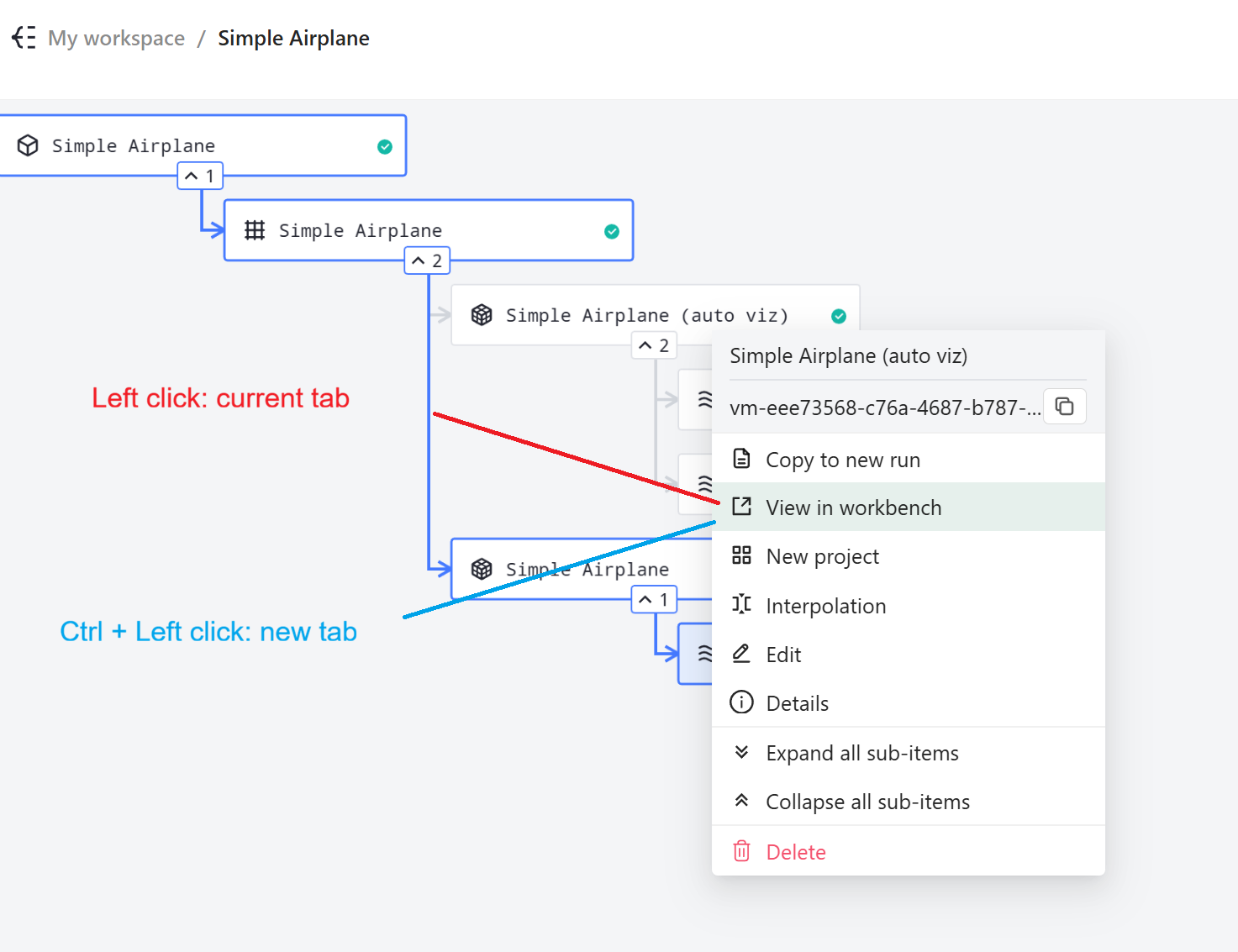 Project tree context menu showing the difference between standard left click (opens in current tab) and Ctrl/Cmd + Left click (opens in new tab).
Tree Selection Shortcuts#
Shortcuts for selecting items in the project tree.
Action |
Windows / Linux |
macOS |
Description |
|---|---|---|---|
Box selection |
|
|
Select multiple tree items by dragging a selection box |
Box removal |
|
|
Remove items from selection by dragging a box |