

GeometryAI Surface Mesher#
The GeometryAI Surface Mesher (GAI) takes the CAD you have, including CAD that is not watertight, has overlapping parts, or comes from several files, and turns it into a surface mesh that is mathematically watertight and manifold by design. You do not repair the geometry first; you tell the mesher how faithfully to capture it, and it does the rest.
The output is a mesh, not geometry. GeometryAI does not hand back a repaired CAD model you can open and edit: your input geometry is untouched, and everything the mesher seals, merges, or trims exists only in the surface mesh it produces.
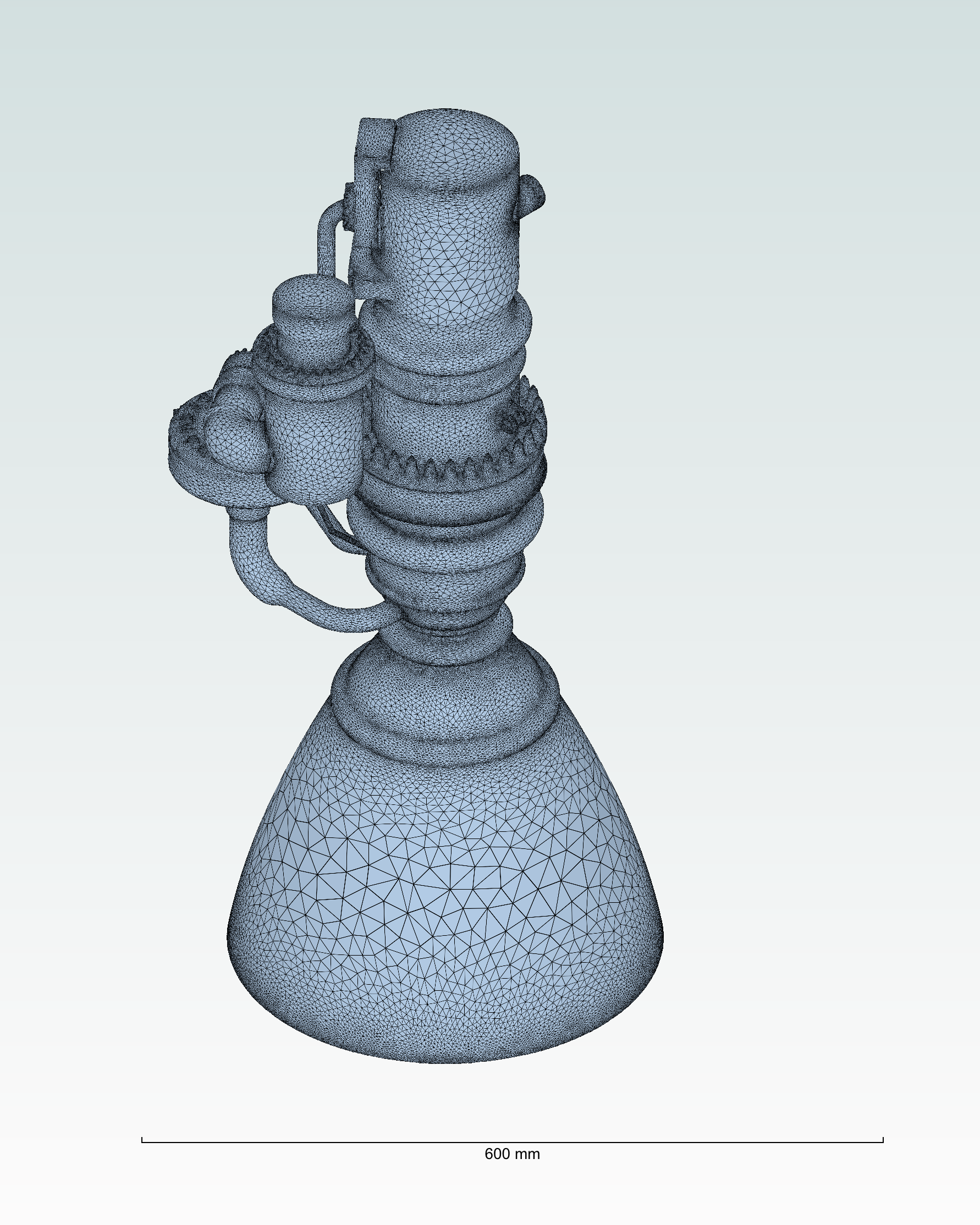
Example of a mesh generated using the GeometryAI Surface Mesher.#
When to choose it#
Reach for GeometryAI when you want robust, reproducible, automated meshing. It gives consistent results on problematic CAD: production models with small gaps and leaks between panels, assemblies with intersecting solids, models that mix B-rep CAD with STL parts, and anything else that would otherwise send you into a manual repair loop. Because it always returns a valid mesh, it is particularly useful for automated workflows, where meshing has to behave consistently across a variety of CAD.
It represents sharp edges implicitly through the reconstructed surface rather than conforming mesh edges to feature lines. If your accuracy hinges on mesh edges that follow sharp feature lines on an already watertight model, the Surface Mesher or the Snappy Surface Mesher can be a better fit or a good complement. How the mesher toggles select each workflow is explained under Meshing.
The three decisions you make#
Setting up a GeometryAI mesh comes down to three questions, and the two pages below follow them in that order:
How faithfully should the geometry be captured? One required setting,
Geometry accuracy, answers this globally, and local refinements tighten it only where small features need it.How should imperfect CAD be cleaned up? Options to seal gaps and holes, keep thin parts, drop geometry hidden from the flow, and handle zero-thickness baffles.
Which region is the fluid? Which side of each body the fluid is on, where the fluid region starts, and whether the farfield boundary is already in your CAD or needs to be added.
This section explains what the mesher does with your geometry, then takes each control in the order you need it: geometry accuracy, geometry cleanup, local refinements, surface mesh density, farfield.
This section is your first GeometryAI mesh step by step, including what to reach for when something looks wrong, and how to define the fluid domain for external-aerodynamics, internal-flow, wind-tunnel, and porous-media cases.
Capabilities at a glance#
produces mathematically watertight and manifold surface meshes by design,
robustly handles non-watertight geometries and patches holes automatically,
correctly handles intersecting solid bodies,
can move, rotate, scale, and mirror solid bodies, and apply boolean operations to them, without editing the CAD (to use these features, define the solids in separate CAD files), see Transformations: moving, rotating, scaling, and mirroring parts,
can combine geometries from different sources, including CAD (B-rep) files and discrete surface meshes (STL), into a single watertight surface,
offers the option to set up an analytical wind tunnel farfield, so a farfield body does not need to be present in the input CAD,
can build a half-model from a full-body geometry, or a full-body mesh from a half-body geometry, for more efficient simulation tool chains,
always produces a valid mesh, which makes it well suited to automated, agentic meshing workflows.
Unlike a standard wrapper, GeometryAI produces a watertight, manifold surface with no intersections or non-manifold elements, directly from the raw CAD input. For a side-by-side illustration, see Comparison with a standard wrapper.
Examples#
Examples of meshing using GeometryAI can be found in the Python API Example Library. Specifically look at: